
RetroModem update: IrDA and a web interface
A short RetroModem project update about adding a 57,600 bit/s IrDA connection and a new browser-based management interface.

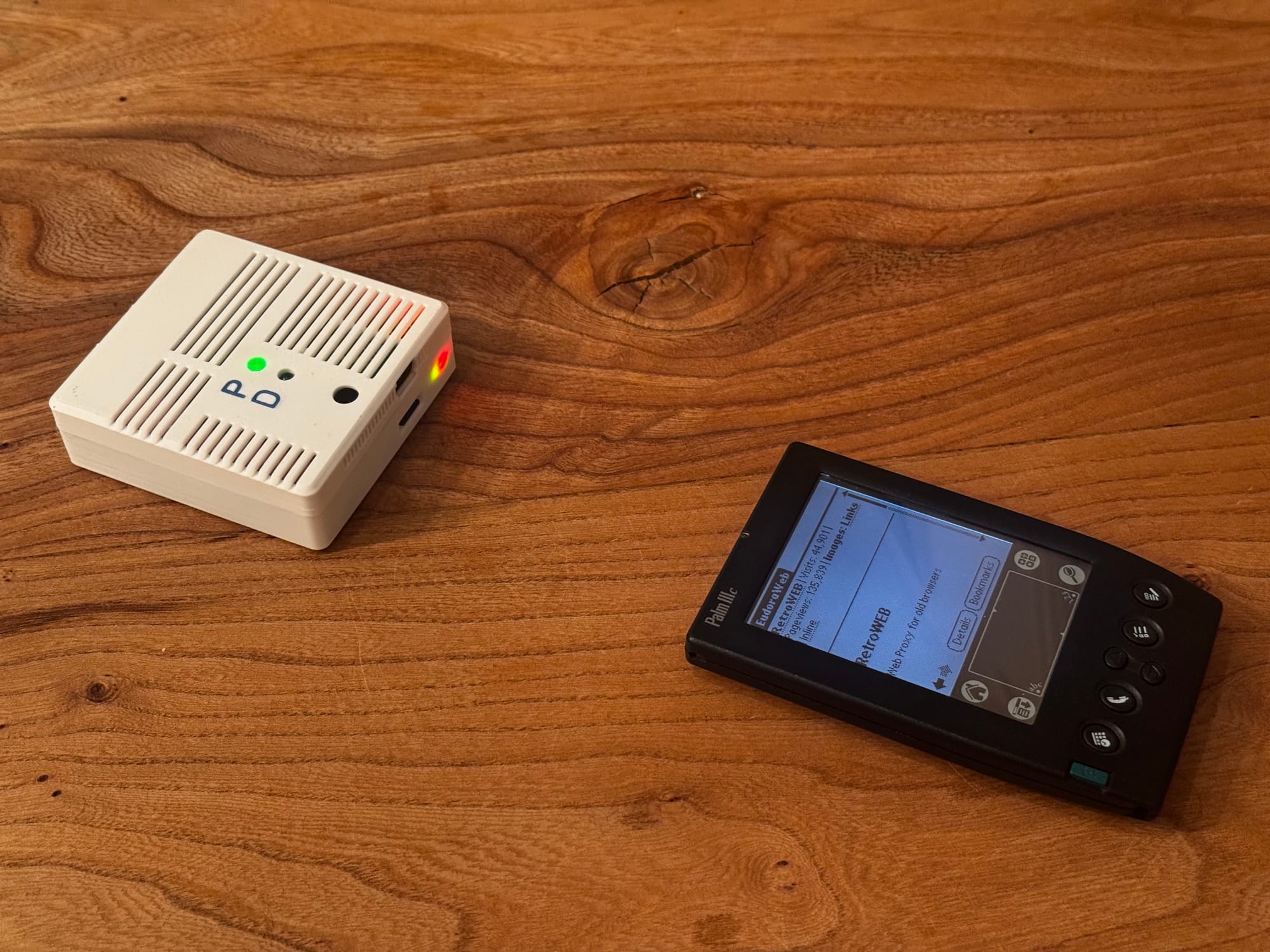
In 2024 I built a Raspberry Pi-based modem to connect my Psion and Palm devices directly to the internet. At the end of the original article I wrote that I wanted to try the same thing over infrared.
It took a while, but it now works. The project also has a name: RetroModem.
RetroModem is a small Wi-Fi bridge for old computers and handhelds. It provides a direct internet connection, can act as a dial-up modem and BBS, and includes some tools for transferring files. The latest addition is IrDA.
Connecting over IrDA
Many handhelds from the late 1990s and early 2000s already have an infrared port. Using that instead of a serial cable makes the whole setup a lot more convenient. You simply place the handheld next to RetroModem and start a PPP connection.
The original serial connection through the Prolific USB-to-serial adapter is still available and works as before. It is now optional, since devices with a compatible infrared port can connect over IrDA instead.
I used a Ming Yuan MY018 infrared transceiver board. The board normally uses solder bridges to select a fixed communication speed.
That was a problem because the IrDA negotiation starts at 9,600 bit/s, after which the connection can switch to a higher speed. I removed the solder bridges and connected the speed selection pads to GPIO pins through a small resistor network. Pull-down resistors provide a safe default state, while 1 kΩ resistors slightly reduce the voltage from the GPIO pins.
There was one more complication. The board only reads the selected speed when it starts. I therefore added an NPN transistor to its ground connection, allowing the Raspberry Pi to power-cycle the board whenever the speed needs to change.
It took some reverse engineering to figure out how the speed selection and startup behaviour worked, but the result is reliable. RetroModem can start the negotiation at 9,600 bit/s and then switch the board to 57,600 bit/s for the actual connection.
That is not very fast by modern standards, but it is more than enough for devices from this period. More importantly, it means my Palm can browse the web through an invisible beam of light. That alone made it worth building.
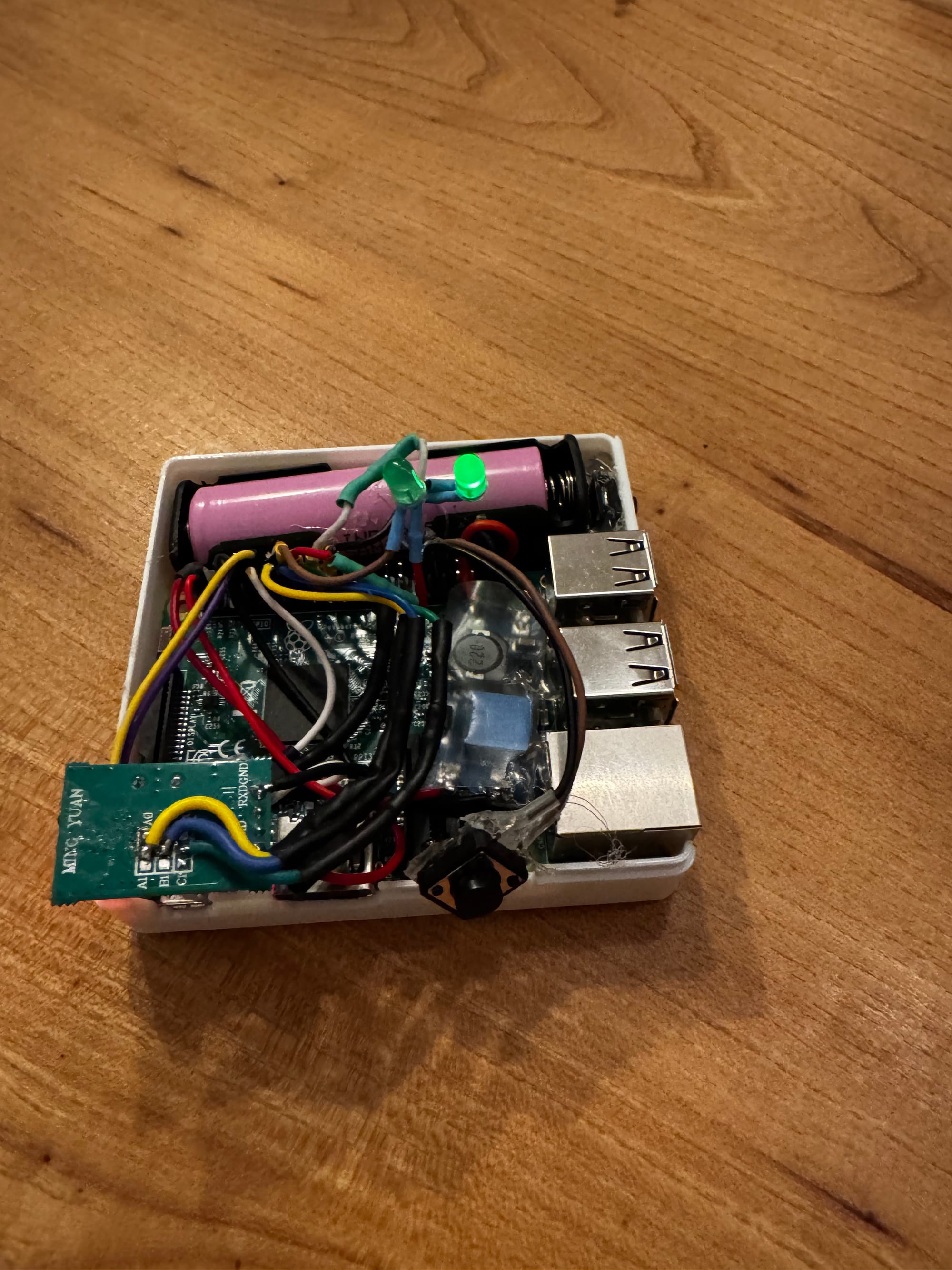
The inside is still very much a prototype. It contains a Raspberry Pi, a battery, the infrared electronics and quite a lot of wiring. It is not pretty, but it all fits inside the enclosure and works reliably.
Adding a web interface
The original version required me to edit configuration files or connect over SSH whenever I wanted to change something. That was fine while I was building it, but it became annoying once I started using RetroModem with different devices.
I therefore made a web interface.
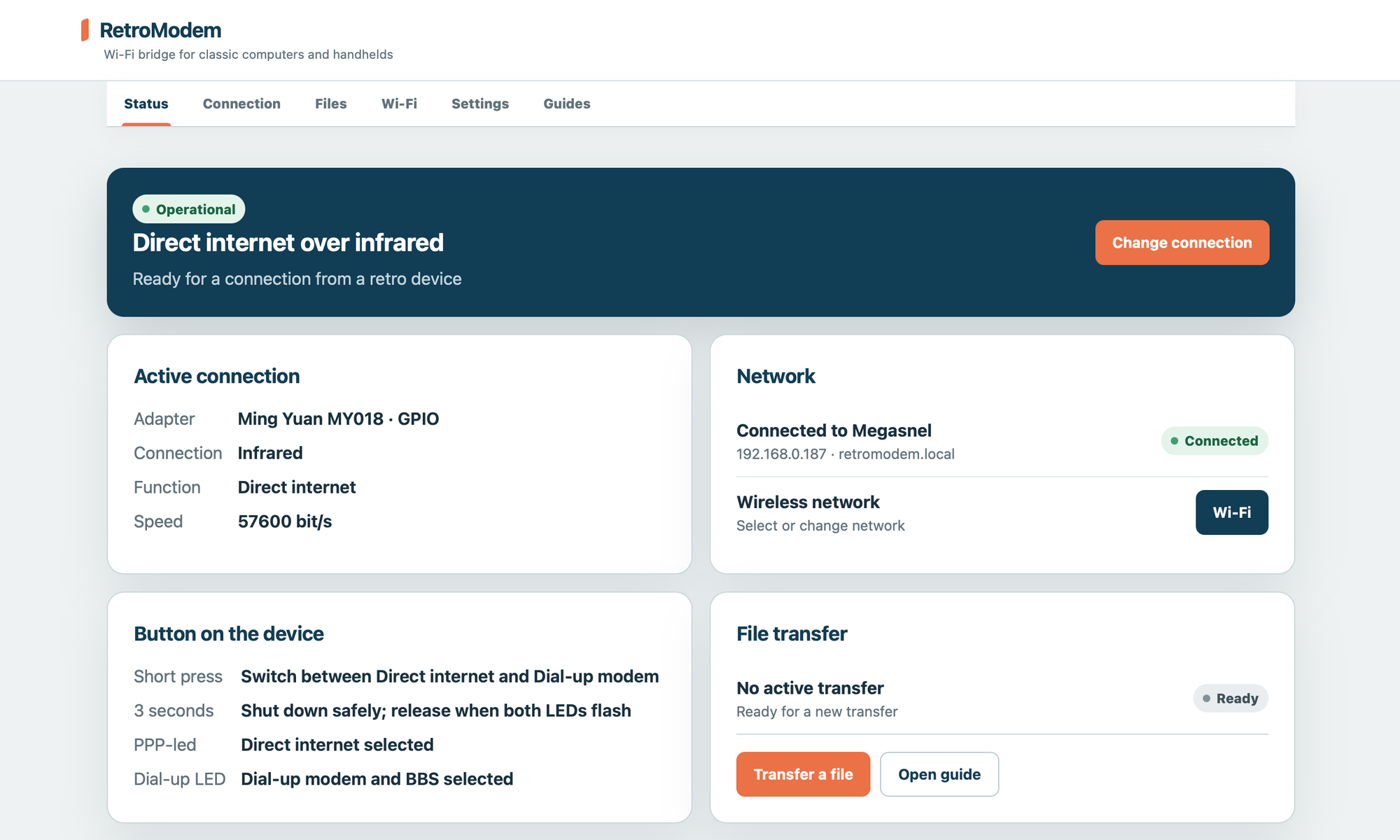
The interface can now be used to:
- view the current connection and network status;
- switch between direct internet and dial-up modem mode;
- select and configure a Wi-Fi network;
- manage file transfers;
- change settings;
- open guides for different retro devices.
The device guides also include a small software library. From the same page you can beam useful applications, such as web browsers and Telnet clients, directly to the device. Only software that can legally be redistributed is included.
You can also add your own files to the library and beam those to a device in the same way.
There is also still a physical button on the enclosure. A short press switches between direct internet and dial-up mode. Holding the button shuts the Raspberry Pi down safely.
Does it work?
Yes. My Palm IIIc can connect to RetroModem over IrDA and browse websites through RetroWEB. The serial connection still works as well, but infrared feels like a much better match for devices like the Palm and Psion.
There is no cable between the handheld and the modem, no old mobile phone and no separate data SIM. You just place the handheld next to the little box and connect.
The inside could certainly use some cleaning up, but that is a problem for another day.